View proctor information
Proctors can easily view a list of the Client proctored - no appointment required exam authorizations they have been assigned by viewing the proctor information page. An exam authorization may be set up for a single exam or a group of exams. The proctor information page lists the exam authorizations, not the specific exams the proctor is authorized to proctor. This page also includes basic user information for the proctor.
- On the Events page, select the View proctor information button in the upper right-hand corner.
The Proctor information page is displayed. 
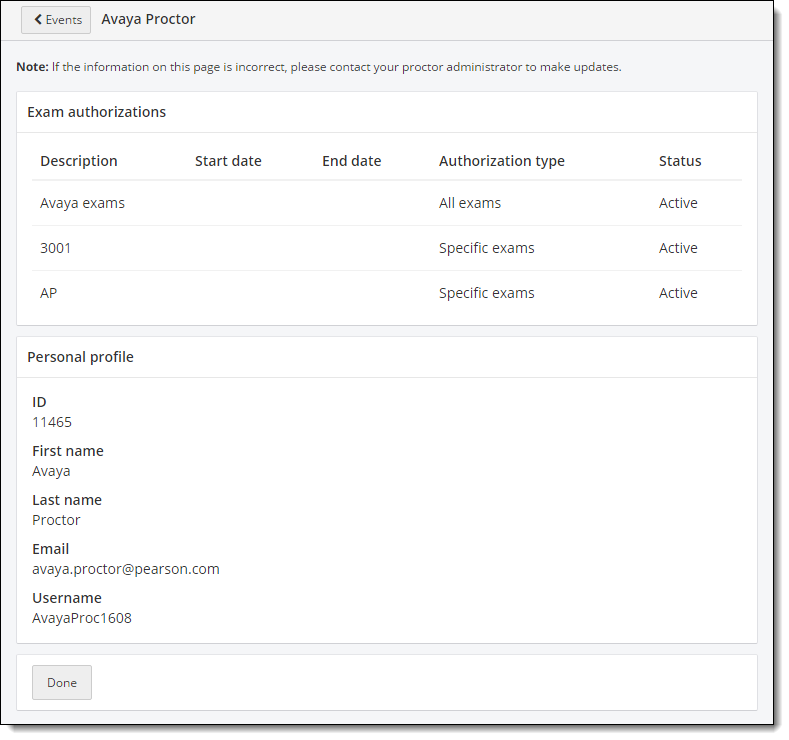
Here you can view your exam authorizations. This includes a list of all the Client proctored - no appointment required exam authorizations you have been assigned.
Your Personal profile lists your proctor ID, your first name, last name, email address and your username.
- Either select the Done button at the bottom of the page, or select the return to Events page
 button at the top of the screen to return to the Events page.
Pearson VUE Proprietary and Confidential