Download artifacts
If you have the role, you can choose to download a copy of all artifacts for a session.
These artifacts include:
- Candidate's ID photo
- Candidate's snapshot (face) photo
- Candidate's workspace photos
- Session events as a .json file
Downloading
To download these artifacts:
- Search for a session.
- Select the ellipse in the Video column of the correct session.
- Select All artifacts from the options.
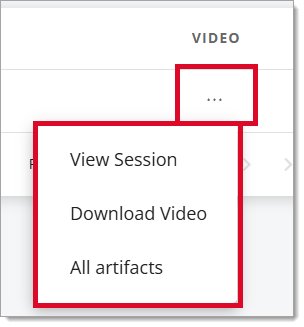
This downloads the files from your browser to the default folder on your computer (commonly the Downloads folder).
The artifacts will be grouped together in a .zip file. Open the .zip file to view the individual artifact files.
To download artifacts for another session, start a new Search.
Pearson VUE Proprietary and Confidential