Create an event
Prior to a Client proctored - no appointment required event, proctors must create an event. The event generates an event code that is used to unlock candidate exams at the Client proctored - no appointment required event. Event codes remain active for 24 hours. If you create a Proctoring event more than 24 hours before the Client proctored - no appointment required event will occur, you must regenerate a new event code. See the Regenerate an Event Code topic for details.
- On the Events dashboard, enter an Event name in the Create event section.

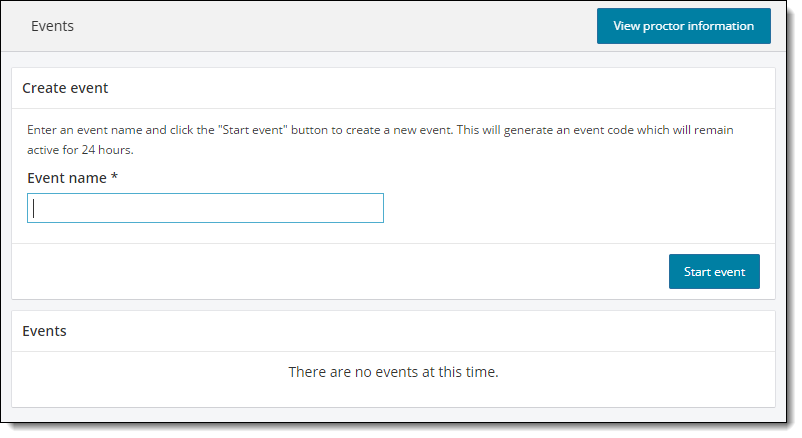
|
|
 Note
Note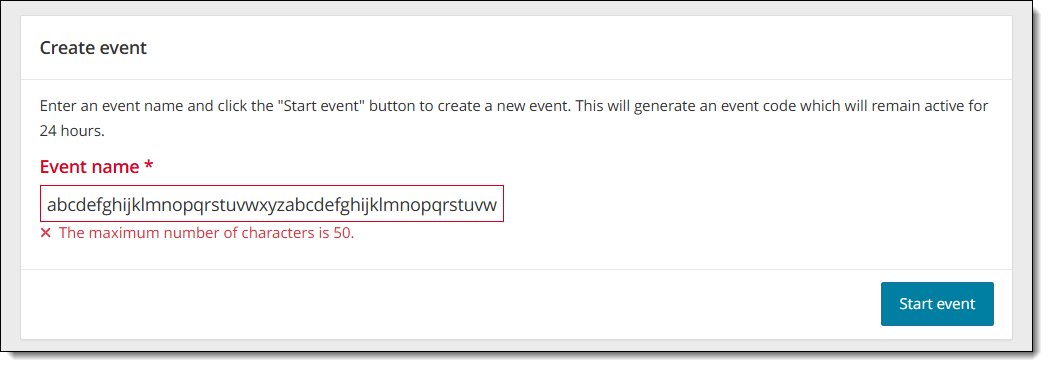
- Select the Start event button. The event details page is displayed.
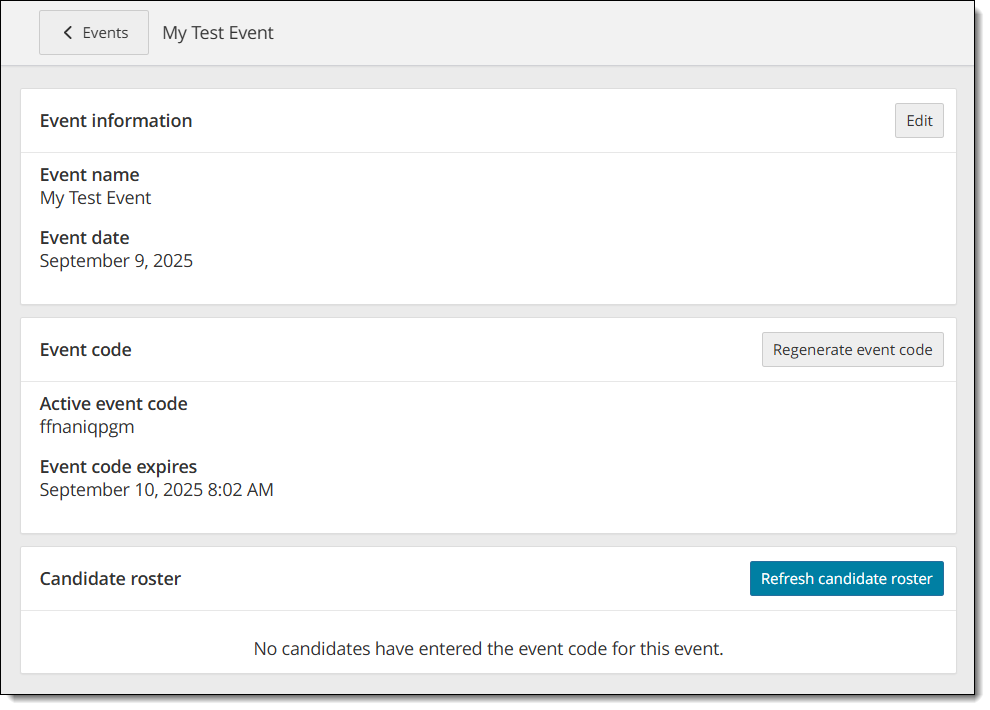
- The event is assigned an event date and time. This date and time stamp is what uniquely identifies this event.
- The event is assigned an event code.
- The Candidate Roster is empty until a candidate enters the event code during the admissions process for the exam.
|
|
|
The proctor that creates the event must also unlock the exams. Proctors cannot unlock exams in events created by other proctors. |
 Warning
- Select the Return to Events list button
 at the top of the Event Details page.
The Events dashboard is displayed. The newly created event is listed at the bottom of the page in the Events list. If you have created more than one event, the events are listed in most recently created to the oldest event created order.
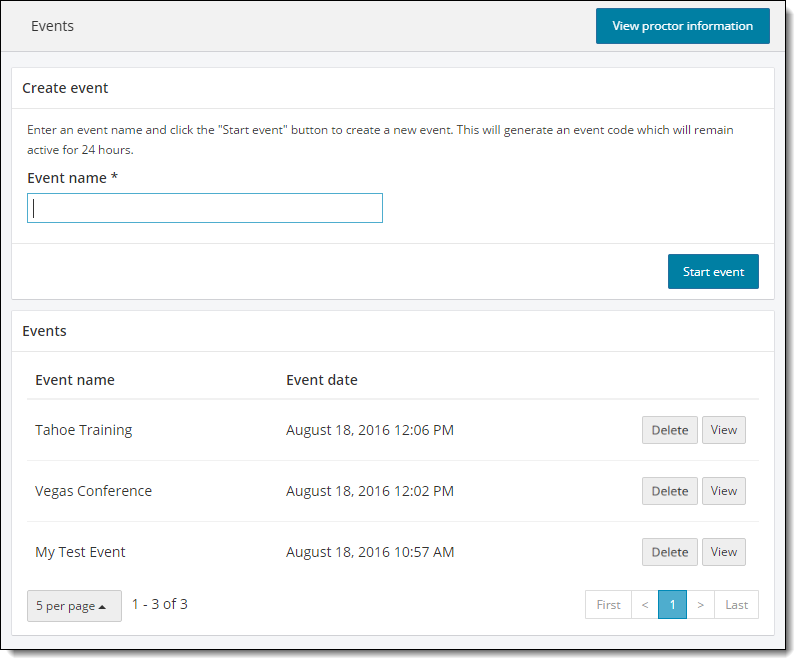
Pearson VUE Proprietary and Confidential